
For every minute spent organising, an hour is earned. – Benjamin Franklin
I am sure we have all spent time organising (or re-organising) assets, whether those being physical or digital. I spent most of this week doing exactly both – to an extent that I am now locked out of my WeChat account (over-relying on stored caches). We may have heard the phrase ‘for every minute spent organising, an hour is earned’, but so far it seems like I have gone the opposite direction with decluttering data. How does one organise things in an effective and efficient manner?
Let’s focus on organising research data.
Handling researched data requires less of a physical storage than what it used to be. Most data in humanities projects are sources that we read; in music, those being books, scores, manuscripts, and paper ephemeras. Nowadays, almost every PhD student in their introductory courses is told to download Zotero, Mendeley, EndNote, or other competitive Reference Management Software. I am a Zotero user, well, I am trying to be. Claiming to be one’s ‘personal research assistant’, you can think of Zotero as being a place to build and manage your own virtual library and setting up a cataloguing system (or systems) so to make things easier to find and navigate around. Beyond organising and maintaining, the extra features on these software are a bonus: importing bibliographic citations from web-browsing academic hubs; exporting citations in many different styles to Word, LibreOffice, GoogleDocs; enable others also to easily access your Zotero library. Despite them being immensely useful for storing and marking up word or pictorial documents, I am not convinced at all about storing audio information (recordings and performances), and moreover, audio-visual information.
I am however convinced about the principle behind Zotero and other software akin, and these are worth unpacking to see how things can be organised in an effective and efficient manner, with or without human assistants or AI software. Below is my summary of 3 key takeaways:
- Keeping a track record of sources
Provide information about the sources you interact with in your research: what you have done, what you want to do, what you have yet to do, and even what you have done but didn’t find it useful. The information that you need to record is twofold: bibliographical (about the source), and interaction (when, where, how). The bibliographic account can be found in library catalogues and within the items themselves. The interaction element serves as a checklist and agenda: it is a note to self about where the item is located, when you are likely to access it, and how did you/how will you access it. Personally, I keep a separate file according to the source types: books, journals, periodicals, hand-written materials (archives), pianos, recordings, so on.
- Making notes and giving summaries
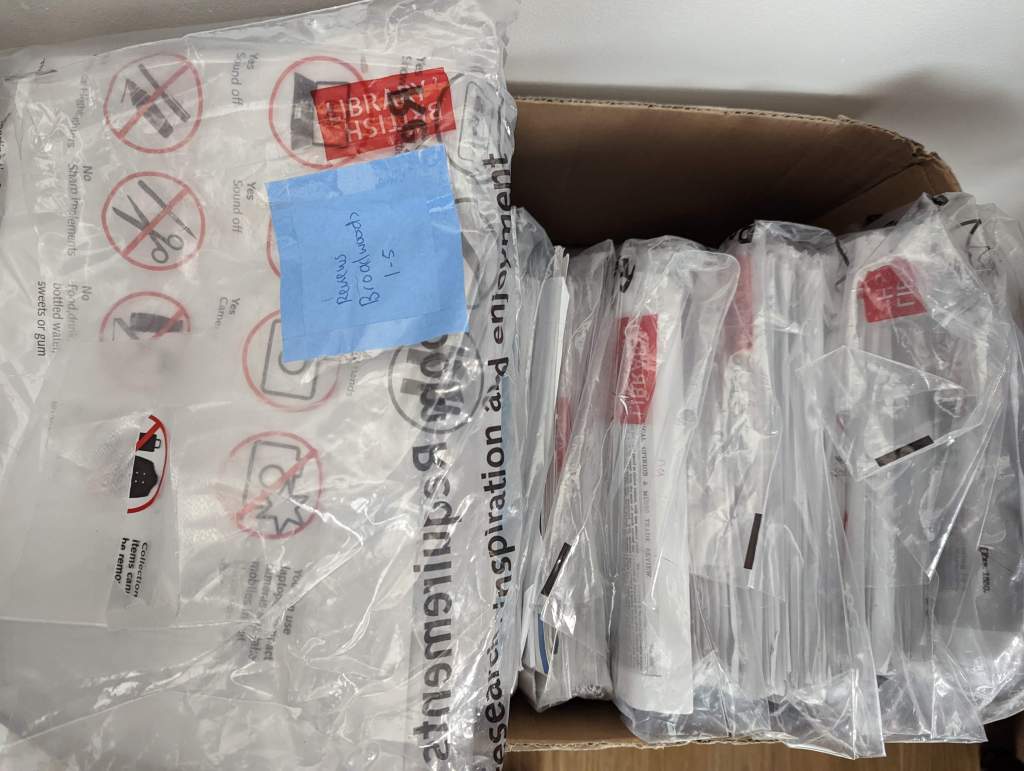
A book has about 200+ pages, and not everything is relevant in a newspaper or article. For my PhD, I went through about 20 years of British newspapers to find out what was said about pianos in concert reviews. I scanned them, printed it as fonts were small and blurry, and highlighted pages after pages [see picture below]. I then typed up into word documents paragraphs of quotes, and summaries about articles. Why, because when I run a keyword search, the word documents can pop on my files. My uttermost respect and amazement at how people were able to retain so much information in their brains before the age of computers. Things are even more convenient today further still: with OCR text recognition, one can scan pages and turn them into text without typing.
- Creating folders and filing notes
In Zotero you are encouraged to create folders to organise your sources. There are few mixed opinions on how one should create or name their folders, e.g., chronological years, source types, keyword genres, how the source is to be used. It depends on what how you visualise your information. So, for some people, folders are not even necessary. For me, the minimal is a folder which separates research inputs and outputs; anything which is merely an annotated source belongs to one folder, and anything which I have written critically comparing several sources in a different folder. In reality, I do have a lot of folders, but the naming and categorisation of these folders can be improved.
A final piece of advice: back up regularly. Despite most being in one’s mind already, the fear of losing years of research goes with the eventuality of it happening without a regular back up to what you have done. A friend of mine lost 2 years of scanned sheet music on an old iPad with a click of a button, and none can be retrieved as she wasn’t able to back the scores up to an iPad that was out of date and unable to accept IOS updates. I guess us classical musicians have to accept that part of being organised is making sure our gadgets (software and devices) still functions!
 Joyce Tang